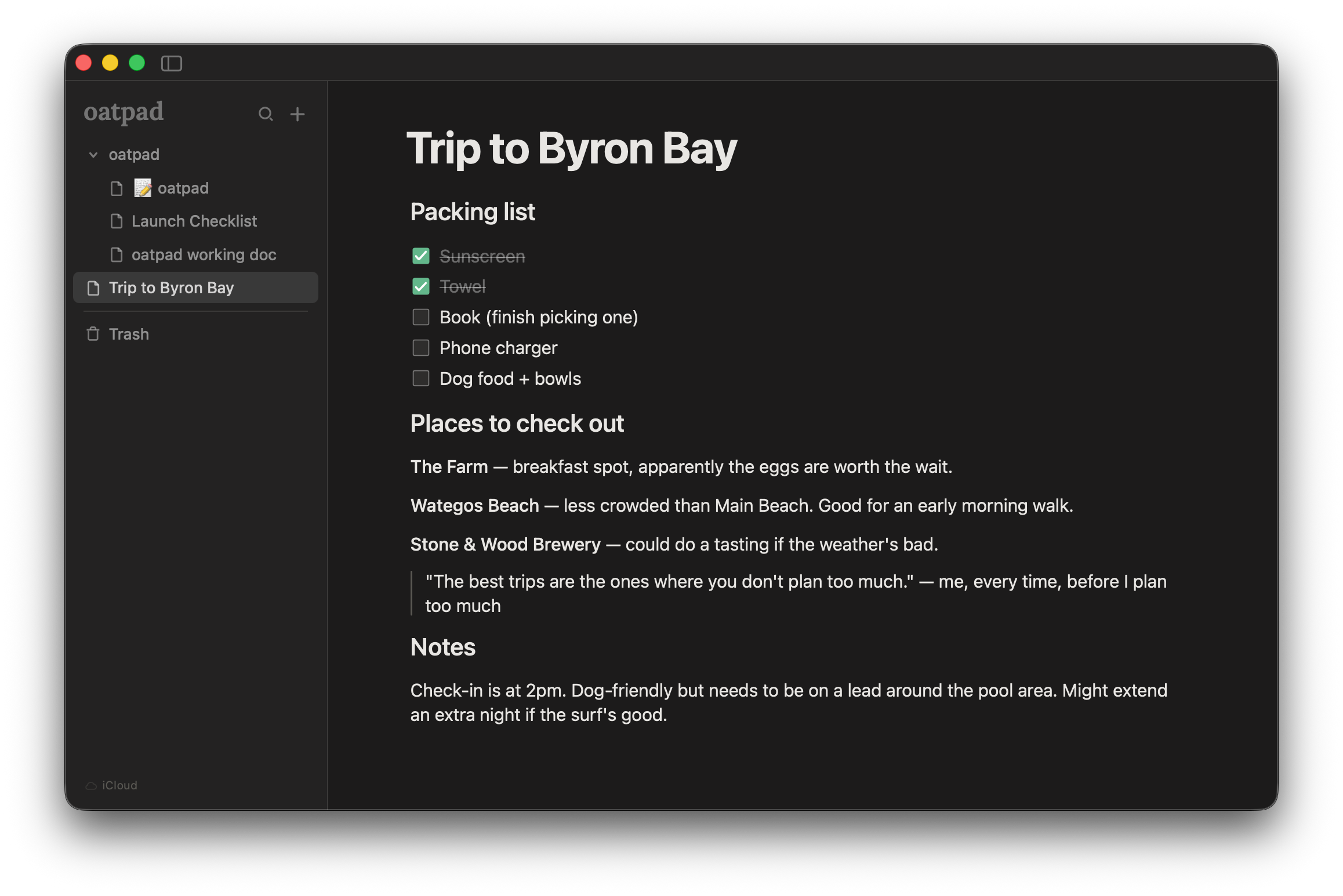
Most notes apps try to do everything. Databases, kanban boards, AI summaries, team collaboration, integrations with every tool you've ever heard of. It's impressive, but if you just want to open something and write, it's a lot of stuff to ignore.
I've used Notion, Apple Notes, Bear, Obsidian, and probably a few others I've forgotten about. They're all good at different things. But I kept running into the same problem: I'd open the app to jot something down and get distracted by the app itself.
So I built Oatpad.
What I actually needed
When I thought about what I used in a notes app day to day, the list was short:
- Headings and basic formatting
- Checklists
- Tables
- Image embeds
- A way to organise notes into folders
- Dark mode
That's it. No linked databases. No templates gallery. No AI writing assistant. Just a place to write things down that gets out of the way.
The space between Notion and Apple Notes
Notion is powerful but heavy. Apple Notes is simple but limited. There's a gap in the middle for people who want some structure in their notes without the overhead of a full productivity platform.
That's where Oatpad sits. You get slash commands for quickly adding headings, tables, checklists, and quotes. You get a formatting toolbar that appears when you select text. But you don't get a sidebar full of settings and integrations you'll never use.
It opens fast because it's built with Tauri — a lightweight native wrapper that uses your Mac's own WebKit, without bundling a full browser like Electron does. Your notes are stored as files on your Mac, not in someone else's cloud.
Local-first, with optional iCloud sync
One thing that mattered to me was keeping notes local. No account, no sign-up, no data on a server I don't control.
But people also want to sync between devices, and that's fair. So Oatpad supports iCloud sync as an optional toggle. If you turn it on, Apple handles the syncing through iCloud Drive. Your notes never touch our servers because we don't have servers.
If you leave it off, everything stays on your Mac. Either way, your notes live on your Mac, and you can export any note to Markdown whenever you want.
What else it does
Since launching, I've been adding features based on what people actually ask for:
- Formatting toolbar - select any text and a bubble menu pops up for bold, italic, highlight, and links. No need to remember keyboard shortcuts or use slash commands for everything.
- Font and size picker - choose the font and size that feels right for you.
- RTL support - automatic text direction for Arabic, Hebrew, and other right-to-left languages.
- Page width toggle - switch between a narrow reading column and a wider layout per note.
- Per-note export - export any individual note to Markdown or PDF.
- Print support - just print it. Always renders in light mode for readability.
Who it's for
Oatpad is for people who want a notes app that does less. If you need a project management tool, a team wiki, or a second brain with backlinks and graph views, this isn't it.
But if you open a notes app to write meeting notes, jot down ideas, make a packing list, or draft a quick document, and you want that experience to feel calm and fast, Oatpad might be what you're looking for.
Try it
Oatpad is a one-time purchase of $9.99 for Mac, with a free 14-day trial. No subscription, no account required.